


Tag: slidedeck
Gaveroid’s JC-MP Server Updates
by Darwood37 on Aug.18, 2015, under Games, General, JC2-MP, PC
The summer period has seen a decline in the number of players on the Just Cause 2 multiplayer server but that has not stopped me from adding a few new features.
The following features are for Steam Group members only. If you are not already a member go to http://steamcommunity.com/groups/gaveroid or search for and join the Gaveroid Steam Group in the Steam app.
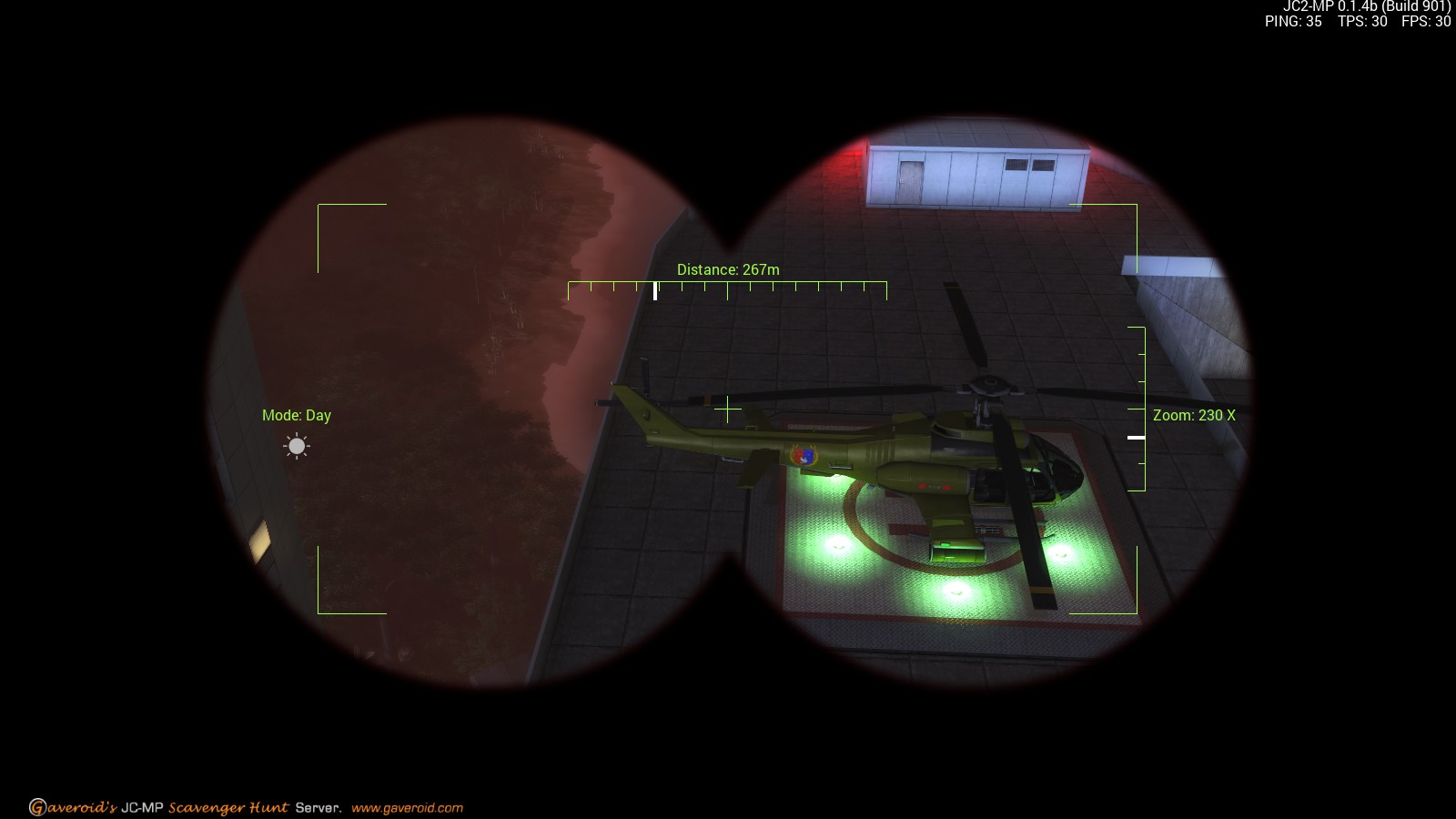
Binoculars – Night vision binoculars with 500X zoom and a laser range finder. This is currently in beta but it should be released within the next week or so. I want to make sure it is working right as some of the camera calculations are a little complex.
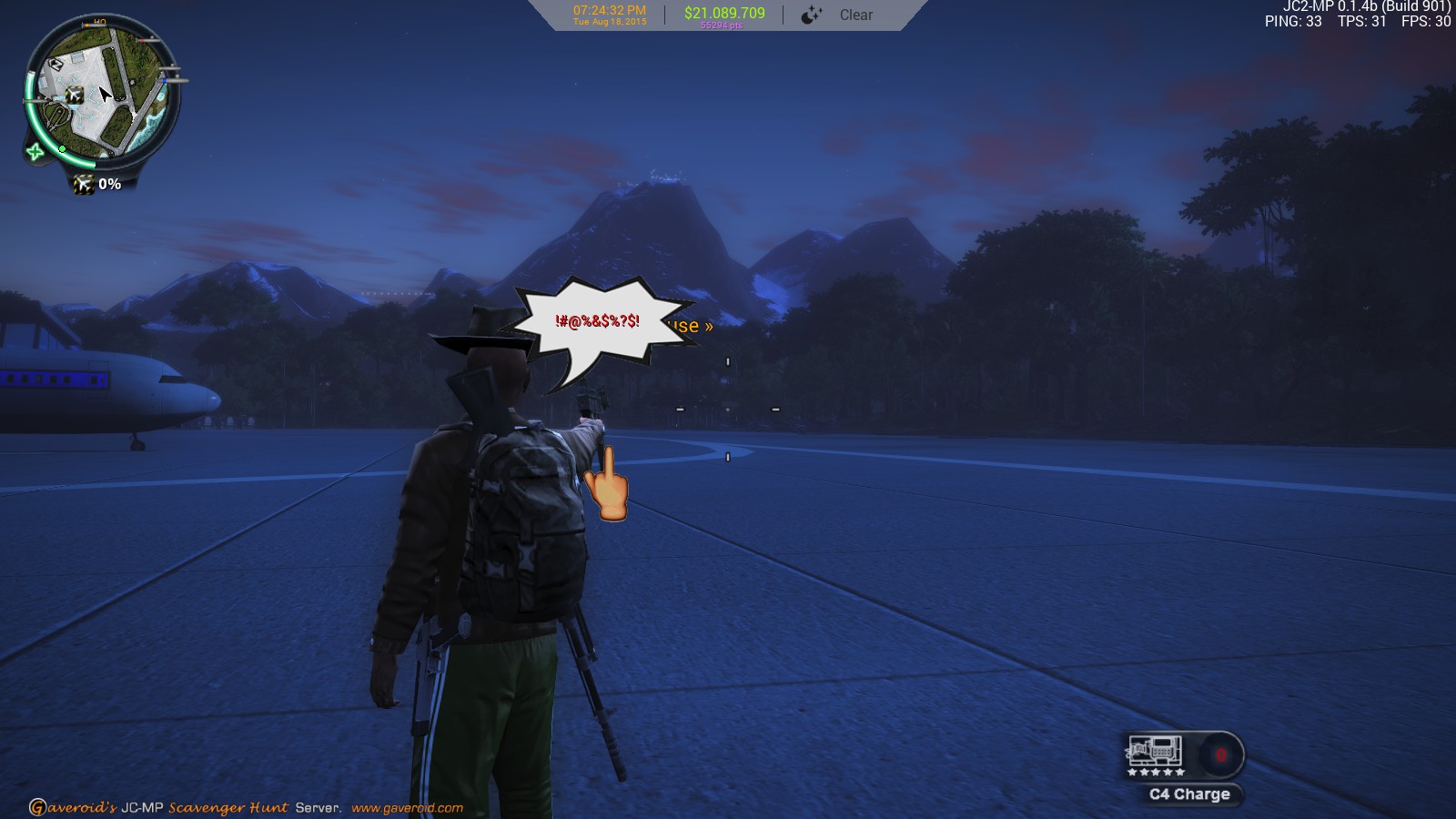
Gestures – Allows you to taunt fellow players with a hand sign and some choice words. Type the following in chat:
/mf [optional text] or /tf [optional text] or /wf [optional text]
The Scavenger Hunt is still underway. We have moved the location three times and still do not have a winner.


Gaveroid’s Road Trip Hosted by TheStuffJunky, Sunday July 5th @ 3 pm EDT.
by Darwood37 on Jun.29, 2015, under Games, General, JC2-MP, PC
We hope to welcome you to another roadtrip sponsored by and hosted on Gaveroid’s Scavenger Hunt server, and designed and coordinated by our Mod, TheStuffJunky.
Sunday July 5th @ 3pm EDT
Welcome to the Gaveroid Panauja 2015. This roadtrip will pit your skills of offroad pre-runner style driving. Using Jeeps and trucks (or whatever your fancy), you will spend a lot of time using boost to maintain your balance on many uphill, on-edge cliff climbs, and drifting abilities in very sharp cornering. But, most importantly, this roadtrip will show off your skills of having
fun.
We start our adventure at the bottom of a mountain ridge south-west of desert airport 2 – this will be the most difficult leg of the roadtrip. When we reach the top of the mountain, we hook a slight left and launch off towards the radar facility. We drive up through the north-west desert for about 5km to a military base and launch our vehicles towards the small lake. We then cut across central desert for a few kilometers and reach the northern part of the desert river and cruise down the river, make a few lefts and rights, and launch our boats off at a small village in south-central desert. We then head for the swamps to cool off from the desert heat and drive through some unmarked swamp roads eventually meeting mid-east shoreline for a short break. After our break, we head through some more trees and cut westward through central desert for a ‘going for speed’ run and take a short climb up to desert airport 1. We ‘free for all’ north-east to another military base and take another small launch towards the river. Across the river, we get our vehicles and head south for another ‘free for all’-like ride to desert ship. A few more lefts, rights, jumps, and lost vehicles, we find ourselves at another village and take a big launch (near where we launched our boats) and scale another mountain cliff. At the top of the mountain, where we started, we all launch and boost as hard as we can.
You can find a map showing the route we will be taking and the vehicles we will use below:

Looking forward to seeing you all.
Port: 7777

How to reboot your friend’s iPhone remotely: the text message bug
by Gaveroid on May.28, 2015, under General, Mobile Devices
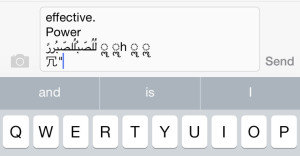
Lately there’s been a bit issue with iPhones where by sending a certain text message, if the notification is received while on the lock screen the device will reboot. I’ve seen it first-hand, constantly today people all around me are rebooting each others’ phones. I’ve been told that some people have had certain areas of their phone corrupted by this issue and they can’t open their Messages app.
This is the message:
effective. Power لُلُصّبُلُلصّبُررً ॣ ॣh ॣ ॣ
It makes no sense, does it? It’s just a random string of mostly Arabic (or whatever it is) letters that happens to crash the phone. In my experience, it’s only possible on iPhone 5 and up devices, and does not work for the iPod Touch or iPad line of devices.
Here’s how to fix it: turn off your notifications. Launch the Settings app, and go to Notifications. Toggle it to off, and you will no longer be affected. If it has made you unable to launch your Messages app, go into your Photos app, into your photo gallery and try to text a photo – any photo – and it will fix the issue according to somebody I talked to in real life who has experienced this first-hand. I’ve also heard accounts of people’s only option being factory resetting the phone, so this could be a prank gone wrong for you – don’t do it. Comment below if you’ve been sent this message, and what happened!
– Gavin (Gaveroid)
Image found on thenewdaily.com.au ‘s article on this matter. All other information was not sourced from their article and rather from personal experience. Text version of message was found on Reddit, posted by /u/CashtoMoney.

-
Hi! Welcome to Gaveroid!
A geek with a dog and a blog
Thanks for dropping by! Please feel free to look around.
Stay updated by subscribing to our RSS feed.
Gaveroid on Instagram

discord.gaveroid.com










You must be logged in to post a comment.